Enabling Confident Action in a Complex Workflow
Problem
A fragmented 14-step workflow created a critical lag between insight and launch, forcing teams to waste hours manually bridging the gap between two disconnected tools.
Solution
Acting as Lead Designer and PM, I designed the unified experience and drove cross-functional alignment to compress 14 steps into 4.
Impact
- 50% reduction in time from Insight to Launch
- ~20% ROAS lift for clients
Problem Space
Insight Velocity Exceeded Execution Velocity
Execution friction limited the value of insights.
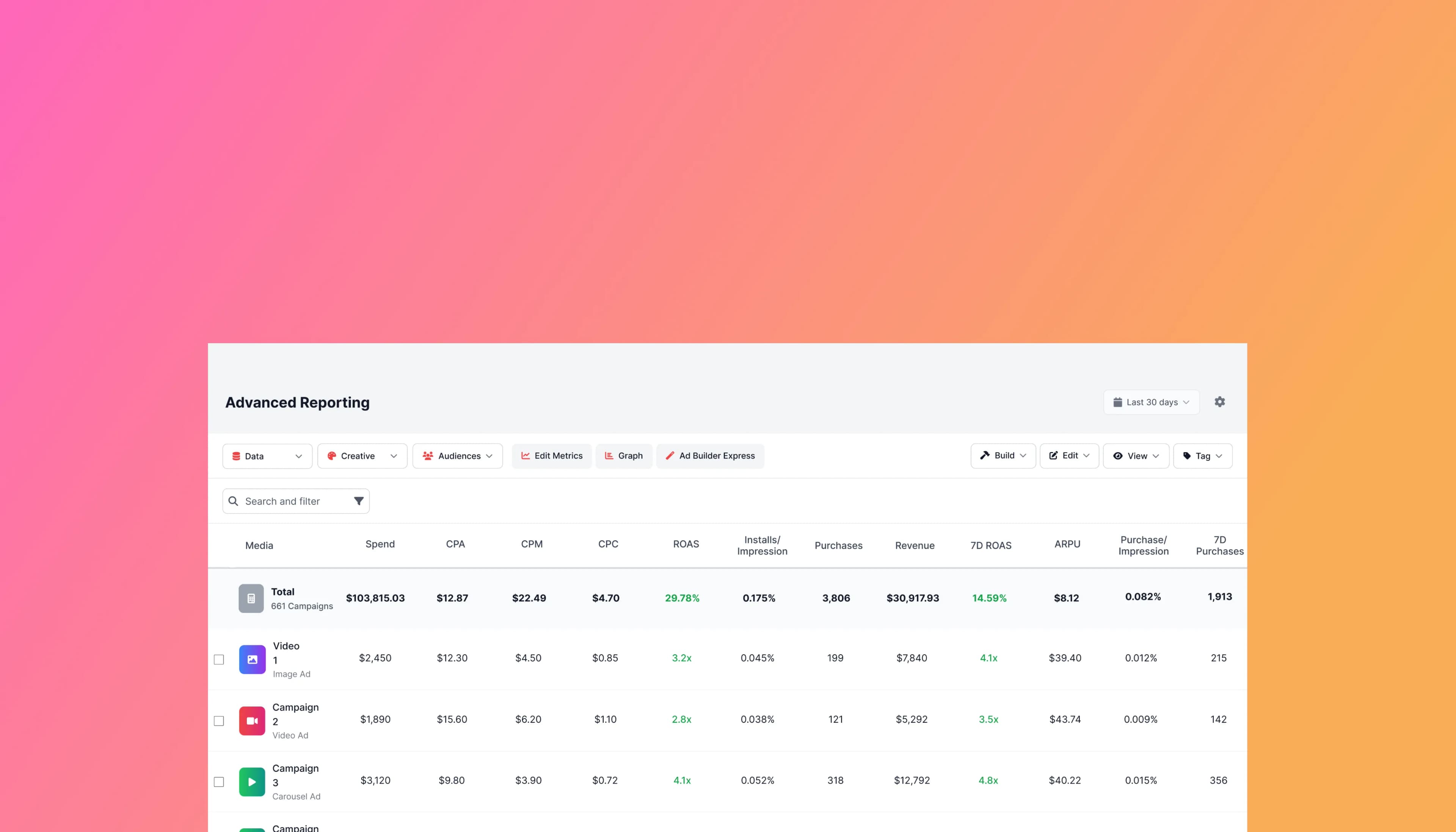
Our reporting tools made it easy to identify what was working, but the cost of acting on those insights was prohibitively high. Turning an insight into a new ad launch required a fragmented, 14-step manual workflow spread across two separate tools. This execution tax forced users to context switch, memorize data, and manually reconstruct campaigns. The result was a lag that reduced decision throughput and capped the ROI of the insights our product produced.
The Business Impact
High-performing creatives were rarely scaled to new geographies. The friction of the workflow meant users were identifying growth opportunities but abandoning them because the execution cost was too high.
Research
Research Revealed a High-Cost 14-Step Workflow
Fragmented across two separate tools
To diagnose the friction, I conducted task analysis and screen-sharing sessions with five power users. I observed them launching new ads using elements from previous campaigns—a process that required navigating legacy infrastructure between two distinct tools (AdReporting and AdBuilder). Users analyzed performance in Reporting, manually copied IDs for winning assets into a notepad, and switched tools to recreate campaigns from scratch.
Strategic Insight
Closing the Execution Gap
Shifting the mental model from Analyze then Build to Build in Analysis
Observation revealed that the most critical cognitive task—deciding which elements to scale—happened entirely inside Advanced Reporting. The actual building was just administrative friction.
Hypothesis
If we integrate creation tools directly into the reporting interface, then we will compress the time between insight and launch, because users currently delay or abandon high-value opportunities due to the friction of switching tools.
This required a fundamental architectural shift:
- Integration: Moving creation tools into consumption environments.
- Persistence: How do we maintain state while the user filters data?
- Discovery: How do we signal actionable moments without cluttering the analysis view?
Exploration & Prototyping
Designing the Integration Points
Three Architectural Challenges
With the strategic direction set to Build in Analysis, I explored how to physically integrate creation tools into the reporting workflow. I focused on three key questions: how users initiate action, where the work happens, and how they discover the feature.
The Entry Point: How do users add campaign elements?
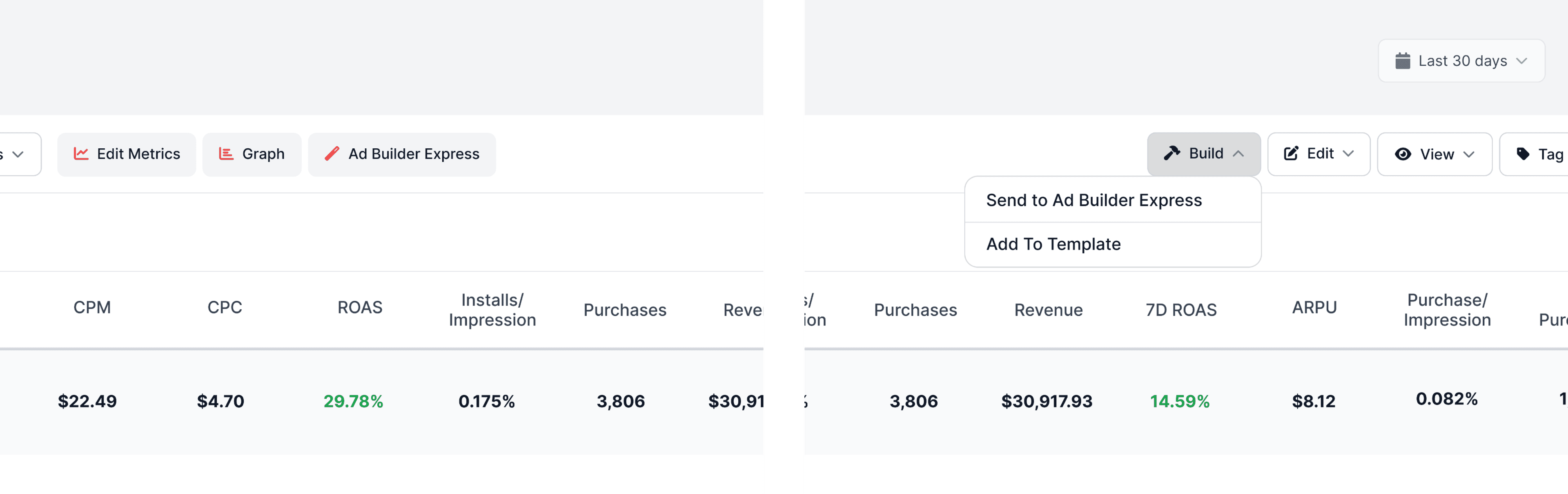
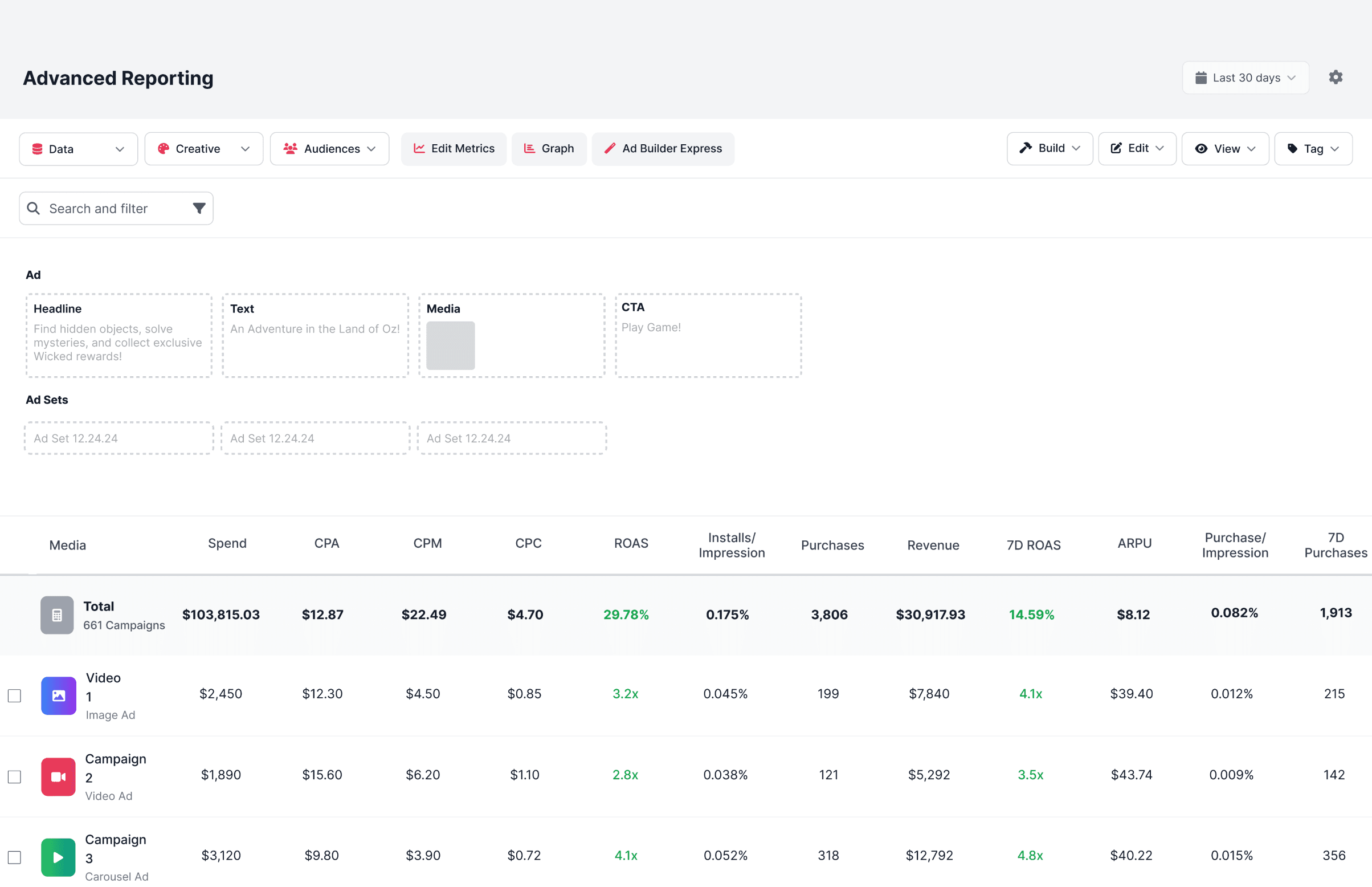
- We needed to introduce the Build action without cluttering the interface. We defined a dual-interaction model: a persistent 'AdBuilder Express' toggle to open the workspace, while leveraging the existing 'Actions' dropdown for users to 'Add' selected rows into the placeholders.
The Environment: Where should the selected elements live?
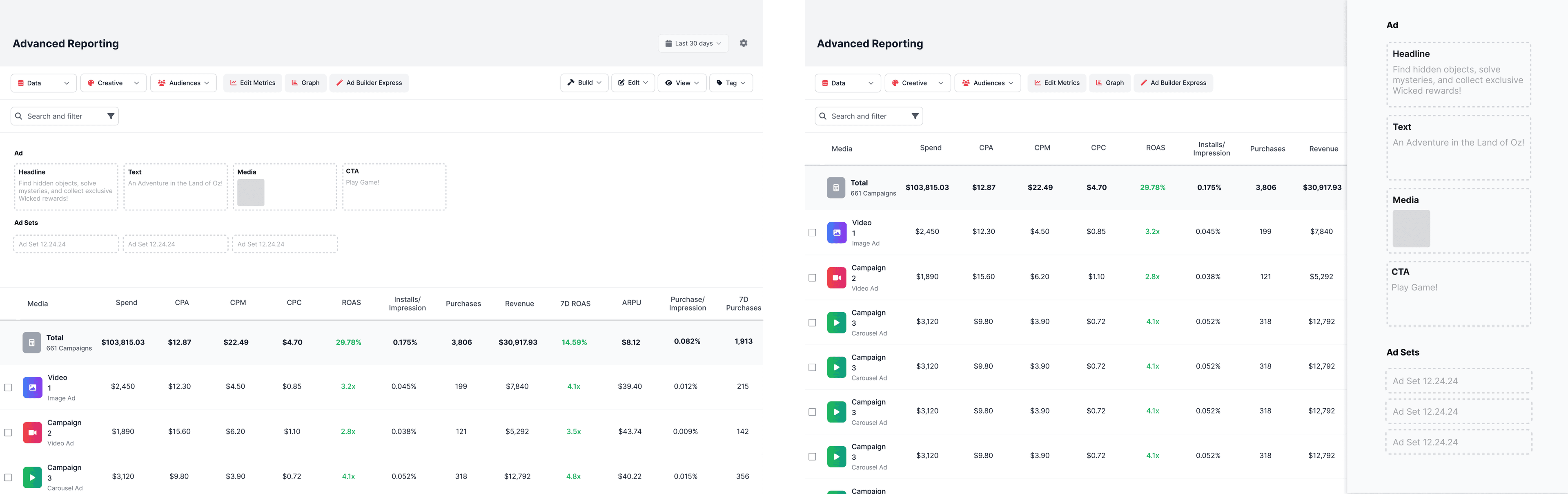
The core challenge was integrating a complex creation tool into a dense reporting grid without forcing the user to lose their place. I prototyped two distinct approaches to test:
- Option A: Center Modal (Focus-First) This provided maximum canvas space for the builder but obscured the underlying report. To check a specific ROAS or CPA metric, the user would have to close the modal, breaking their workflow.
- Option B: Embedded Side Panel (Context-First) This compressed the reporting table but kept all performance columns visible.
Discovery: How will users know ads can be built from reporting?
Since this was a new paradigm, discovery was a risk.
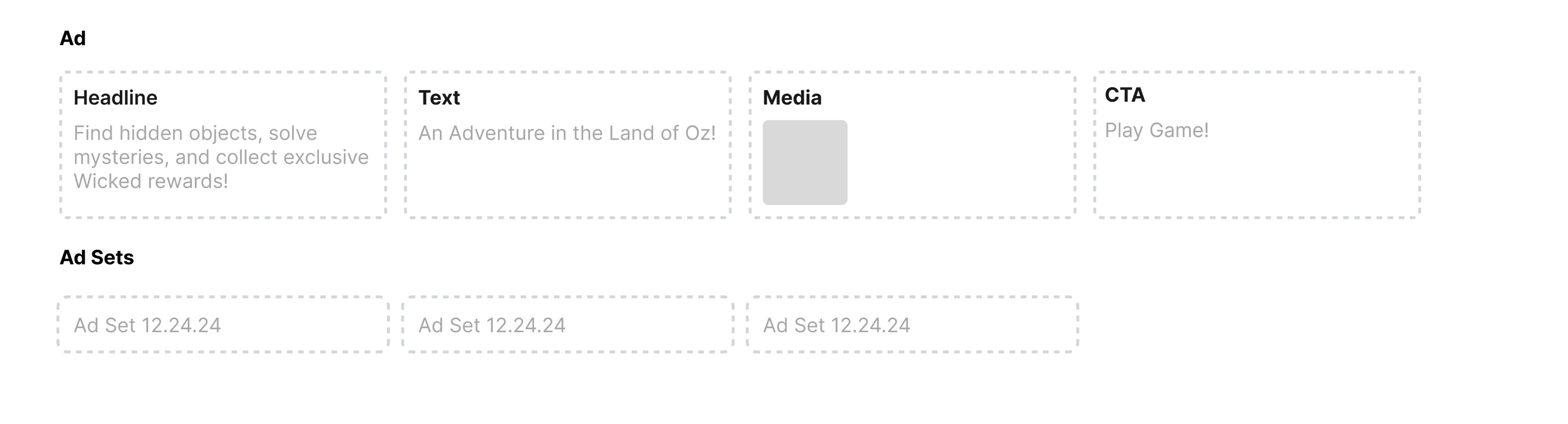
- Exploration: I explored utilizing Empty State placeholders within both the Center Modal and Side Panel concepts.
- The Question: How and when should these placeholders be prompted? Should they be persistent (always visible) or contextual (triggered by selection)?
Validation
De-risking the Build
with Wizard of Oz Testing
Merging two legacy tools represented a massive engineering effort. To validate the solution before committing roadmaps, I utilized a Wizard of Oz testing protocol with 5 power users. This allowed us to observe real decision-making friction and validate our architectural hypotheses without writing backend code.
We compared the Center Modal against the Embedded Side Panel.
- The Verdict: Vertical Context > Horizontal Space Users rejected the Side Panel because it permanently covered the right 30% of the screen, hiding valuable columns and forcing horizontal scrolling.
Result
We discovered that users almost always sort the table to put the best ads at the top. The Center Modal covers the middle of the screen but leaves the top rows visible. This allowed users to keep their winning data in view above the overlay without fighting horizontal scrollbars.
Final Solution
The Unified Experience
We Merged AdBuilder & AdReporting into the new AdBuilder Express.
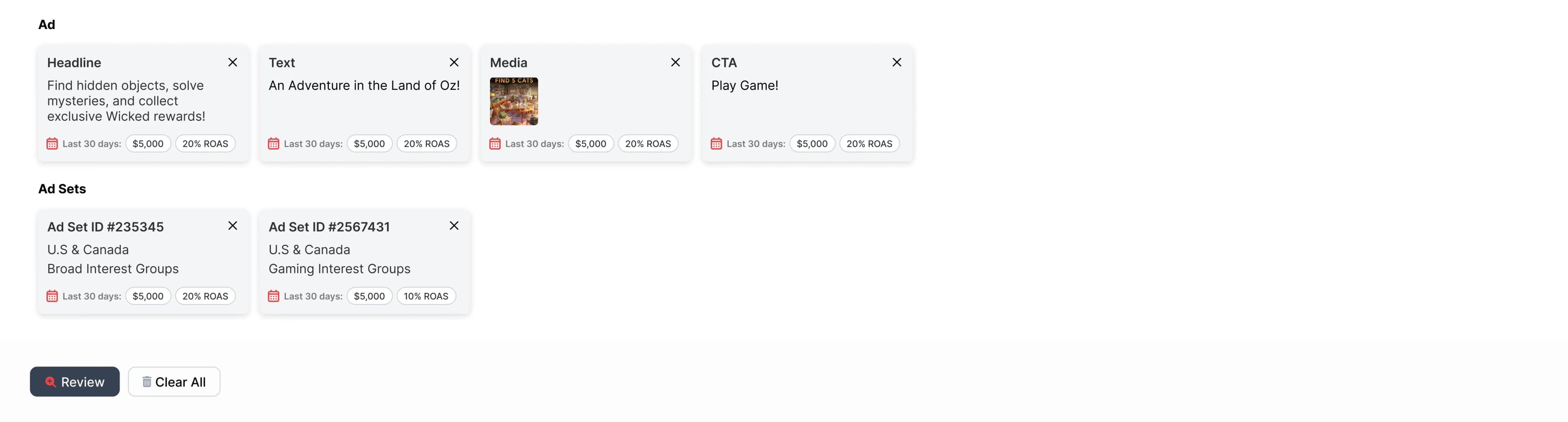
AdBuilder Express was designed to reduce friction, uncertainty, and cognitive load at the moment users decide to act. By keeping creation inside reporting, making in-progress work visible, and introducing clear review points before launch, the workflow helped teams move from insight to action with confidence rather than hesitation.
Instructional Entry: Solving Discovery
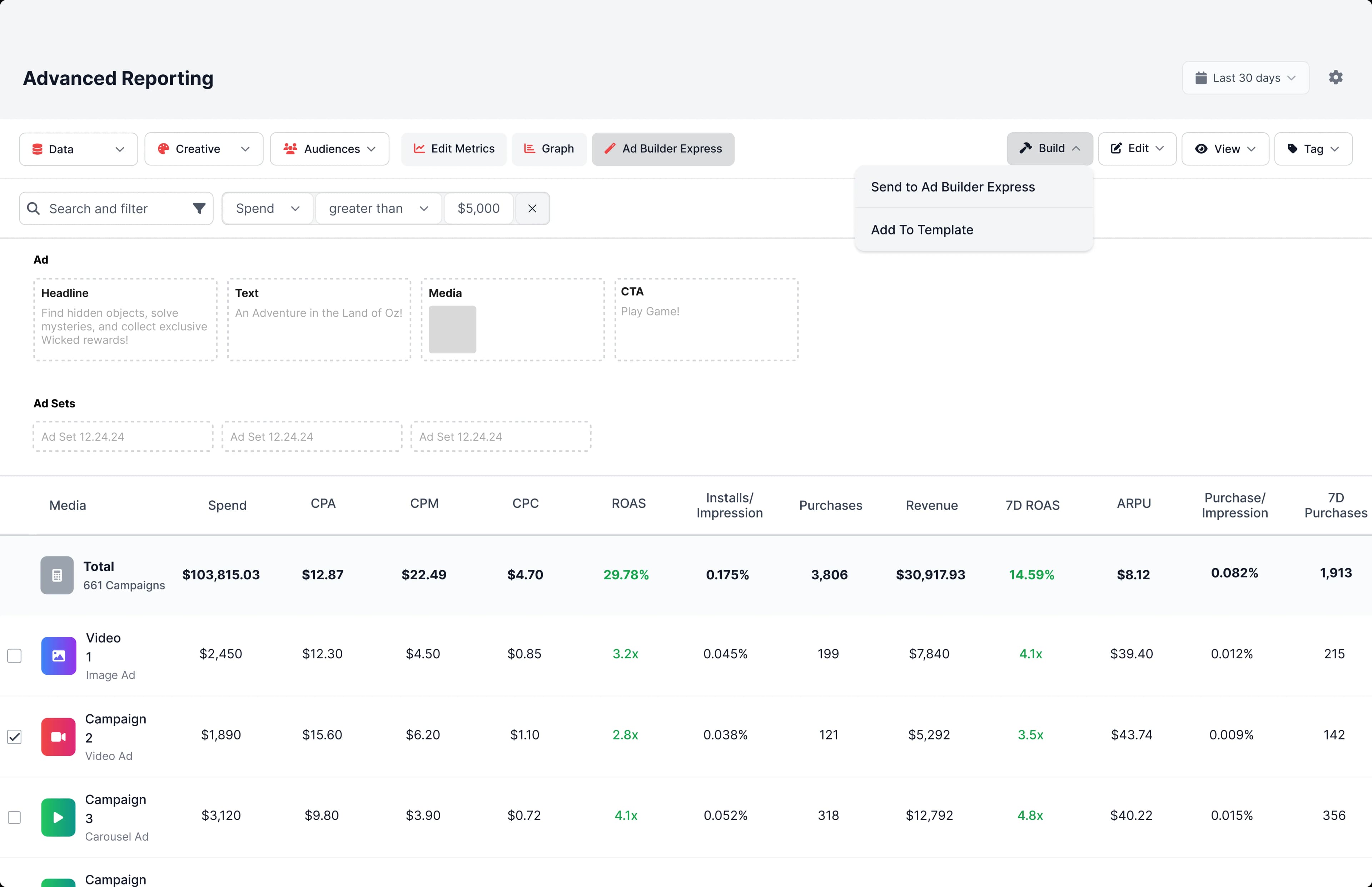
Contextual Integration: Building where the Data Lives
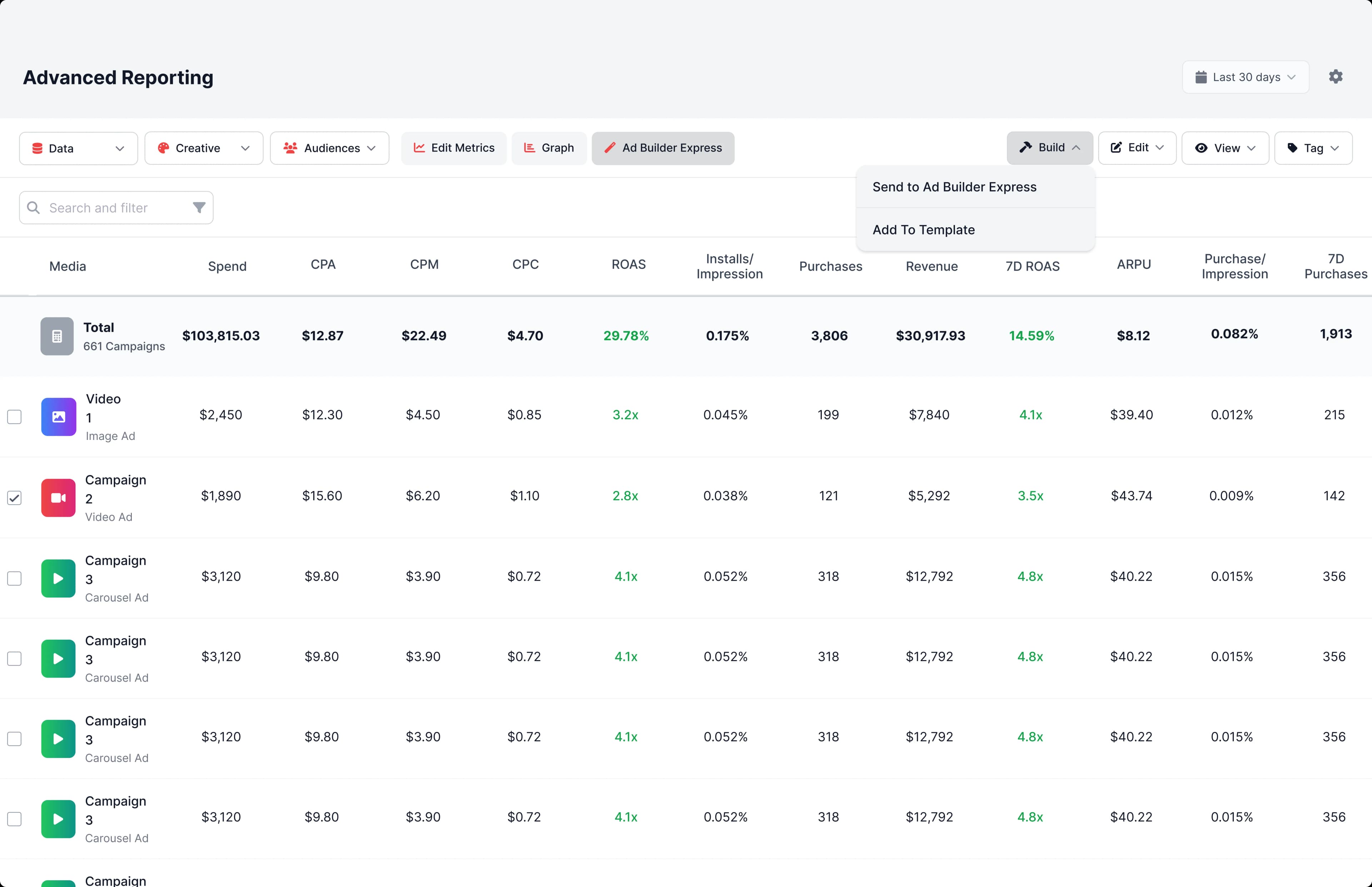
Live State Tracking: Eliminating Memory Tax
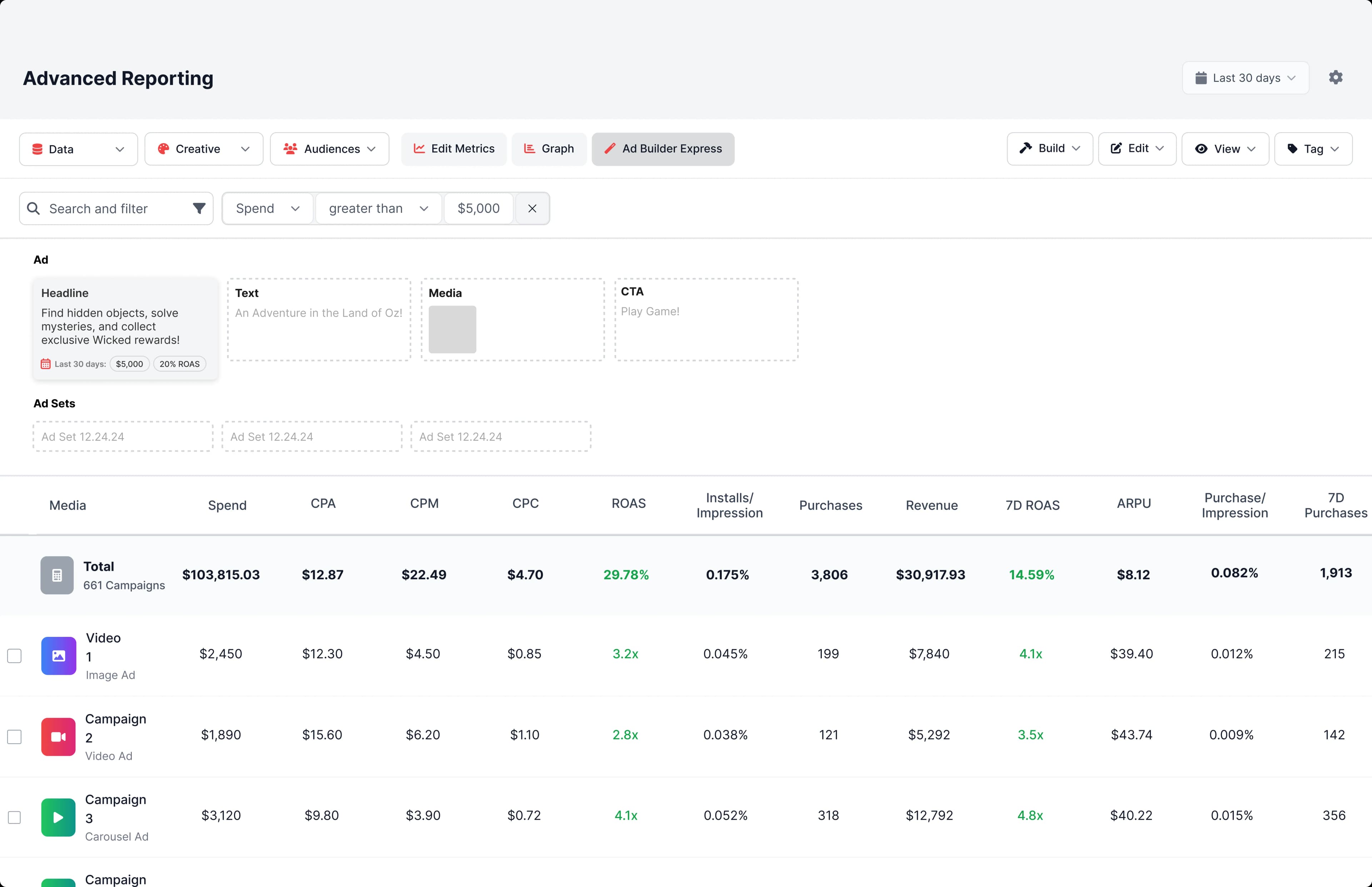
The Review Stage: Designing for Confidence
Impact
Turning Insight Into Action at Scale
Transforming performance insights into fast, confident execution
The redesigned workflow fundamentally changed how teams act on performance data. By removing execution friction inside reporting and enabling creation at the moment of decision, teams moved from insight to launch in half the time, without increasing operational risk or complexity.